Email is how most people send documents, so it feels normal to attach a passport scan, a tax return or a medical record and press send. Whether that is safe depends on what is in the file, who might see it, and what else you could use instead.
This guide gives a straight answer, lays out the main alternatives side by side, and helps you choose. For the longer view on running a whole collection process, see how to collect documents from clients securely.
The short answer
Ordinary email is not a safe place for highly sensitive documents. It is convenient, and for low-risk files it may be acceptable, but you cannot control where copies end up or who can read them. For anything that would cause real harm if exposed, such as identity documents, financial records, health information or legal files, use a method that encrypts the file, limits who can open it, and does not leave copies in inboxes. A private upload portal is the most practical option for most professionals.
What can go wrong with email
Email has several weak points. None guarantees a problem, and together they explain why professionals look for something better.
- Copies everywhere. An attachment sits in the sender's sent folder, the recipient's inbox, any device that syncs the account and every backup. Deleting one copy leaves the others.
- Account takeover. If someone gets into an email account through a reused or guessed password, they can read years of attachments in one sitting.
- Phishing and impersonation. A criminal who convinces a client to send documents to a look-alike address receives them. Documents cannot be recalled once sent.
- Wrong recipient. An autocomplete slip sends the file to the wrong person.
- Limited encryption. Most providers encrypt the connection between mail servers, but the message itself is usually readable by the providers that handle it and by anyone who reaches the mailbox.
- Size limits. Large scans bounce, which pushes people to riskier workarounds.
- No record. Email will not tell you reliably whether a document was opened, forwarded or downloaded again.
The main alternatives
Password-protected files
Protecting a PDF or zip file with a strong password adds a real barrier. It works best when you send the password by a different channel, such as a phone call or a text, and when the password is long and unique. Its limits are that people reuse weak passwords, the password often ends up in the same email thread, and the file still travels as an attachment and leaves copies behind.
Encrypted email
Some email systems encrypt messages so that only the intended recipient can read them. This is stronger than ordinary email, but it can be awkward: the recipient may need a certificate or to sign up for a portal, and support varies between providers. Clients often find it confusing and fall back to plain email.
General file-sharing services
Services such as cloud drives let you share a file or folder by link. They are easy, and for many uses they are good enough. For client documents, watch for these points: a link that anyone can open is only as private as the link; sharing settings are easy to get wrong; and the service may not give you structure for what you asked for, who has sent what, or when.
Secure client portals
A portal gives each client a private link or login to upload to you, over an encrypted connection, into a place you control. A good one also lets you list what you need, track what has arrived, remind clients about what is missing and limit which staff can open files. The trade-offs are that you pay for it and clients must learn to use it, although the best ones need no account.
Paper, courier or in person
These are sometimes the right choice, such as for an original document or for a client who cannot use technology. They are slow, hard to track, and create their own risk of loss. Use them when you have to, and scan the files securely afterward.
How the options compare
| Option | Protects the file | Limits who can open it | Tracks what arrived | Ease for the client |
|---|---|---|---|---|
| Ordinary email | Weak | Weak | No | Very easy |
| Password-protected file | Good, if the password is strong and sent separately | Moderate | No | Moderate |
| Encrypted email | Good | Good | Limited | Often awkward |
| File-sharing link | Moderate | Depends on settings | Limited | Easy |
| Secure portal | Good | Good | Yes | Easy to moderate |
The right choice depends on how sensitive the documents are and how many you collect. A one-off, low-risk file can go by password-protected attachment. A steady flow of client documents belongs in a portal.
How to choose
Ask yourself these questions.
- How bad is it if this file is seen by the wrong person? The worse the answer, the stronger the method should be.
- How often do I collect documents? If it happens every week, set up a repeatable process instead of making a new decision each time.
- Who has to use it? If your clients are not technical, pick something that opens from a link with no account.
- Do I need a record? If you may have to show what you received and when, choose a method with a log.
- What do my professional duties require? Lawyers, tax preparers, healthcare providers and lenders each have their own rules about protecting client data. Check what yours expect, and ask any vendor how they protect data and what they will and will not commit to in writing.
A practical approach if you must use email
Sometimes email is all you have. Reduce the risk this way:
- Send as little as possible, and remove anything not needed, such as blank pages with account numbers. The free PDF splitter pulls out only the pages you need, in your browser, without uploading the file.
- Protect the file with a strong password and share the password by another channel.
- Double-check the recipient's address before sending, and avoid autocomplete for sensitive messages.
- Use accounts protected by long, unique passwords and two-step sign-in.
- Delete sent and received copies once you have stored the file somewhere better, and empty the deleted folder.
- Tell clients how to recognize a genuine request from you, so a look-alike message does not trick them.
Where docEvault fits
docEvault is a secure client portal. Each client receives a private link, with no account to create, and uploads over an encrypted connection to a place only your organization can reach. Files are encrypted in transit and in storage, and you can turn on end-to-end encryption so that only your own team can open them, and not even docEvault can read them. You build a checklist of what you need, see what has arrived, and use automatic reminders for what is missing. It does not make you compliant with any particular rule on its own, so check what applies to your profession.
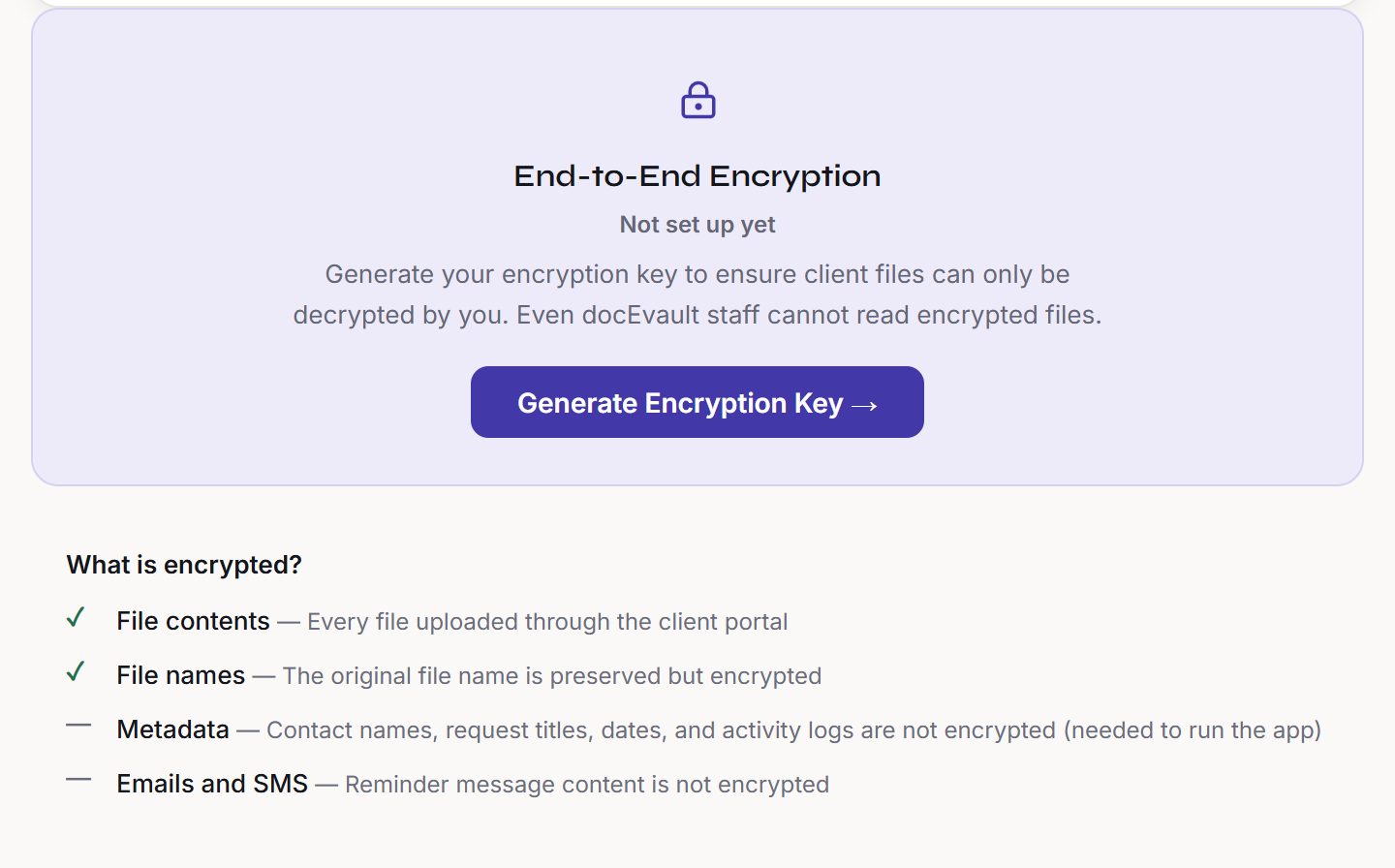
If that sounds useful, try docEvault, or read how docEvault protects your data and how end-to-end encryption works.
Frequently asked questions
Is it ever okay to email sensitive documents?
For low-risk files, and with care, yes. For identity documents, financial records, health information and legal files, you are better off with a method that encrypts the file and limits access.
Is a password-protected PDF safe to email?
It is much better than an unprotected one, if the password is strong and sent through a different channel. It still leaves copies in inboxes and backups.
Is encrypted email enough?
It protects the message better than ordinary email, but it can be hard for clients to use, and many end up sending plain email anyway. A portal usually gives a smoother experience.
What is the safest way for a client to send me documents?
A private upload portal that encrypts files, gives each client their own link and restricts who on your team can open them. End-to-end encryption is stronger still, with the trade-off that lost keys cannot be recovered.
Does using a secure tool make me compliant?
No tool does that by itself. Compliance depends on your own policies and on the rules of your profession. A good tool helps, and a good vendor will be clear about what it does and does not cover.